View results#
Once the calculation has finished, we will need some way at looking at the results!
The PDF report#
The quickest way to view the completed data is to click the corresponding calculation row in the Completed jobs panel:

This will open the calculation report, a preformatted PDF file that contains all of the critical calculation results:
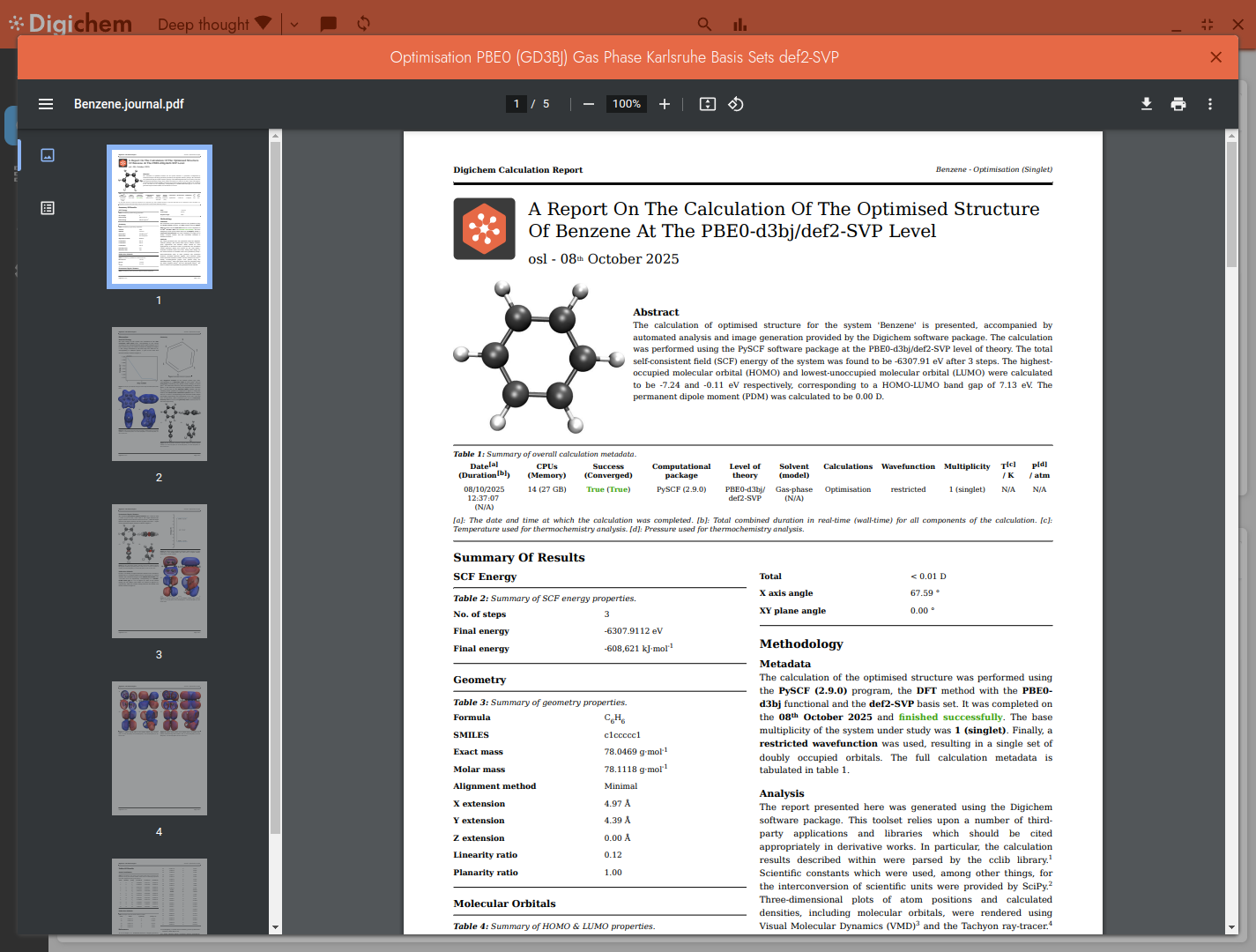
This report that we have opened is for the geometry optimisation of Benzene. It can tell us such information as:
Calculation metadata#

The total energy of the molecule#

Geometry information#

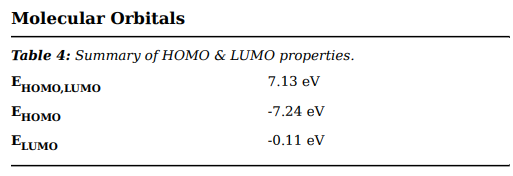
Molecular orbital information#
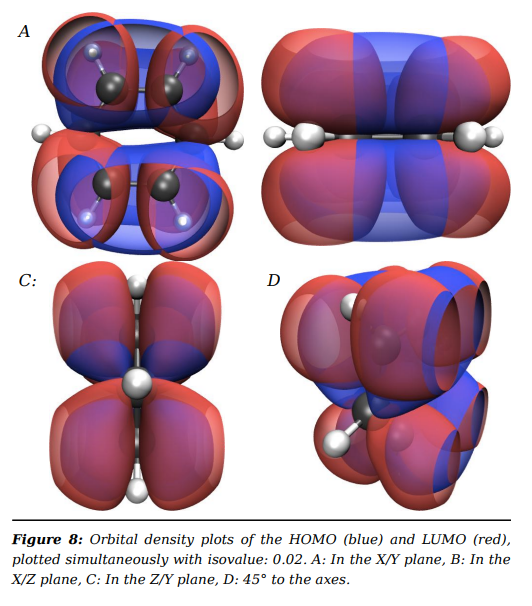
Including orbital density plots:
And much more besides.
An excited states report#
However, we’ve already agreed that the optimisation of Benzene is not so interesting. More interesting, perhaps, is the excited states of Pyridine:

This report contains additional calculation results, namely:
Excited states data#
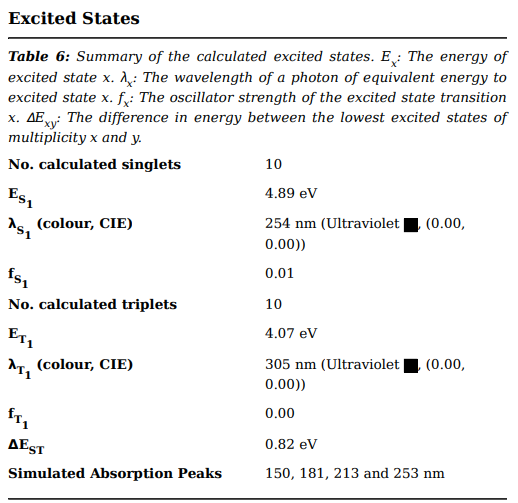
Including a graph of the calculated states:
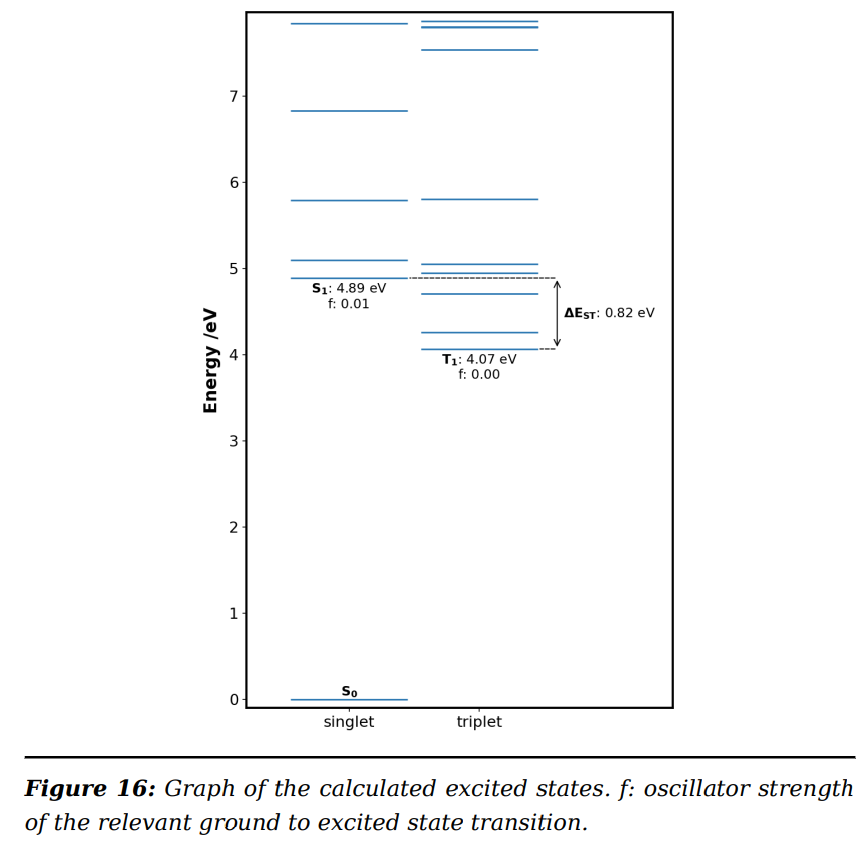
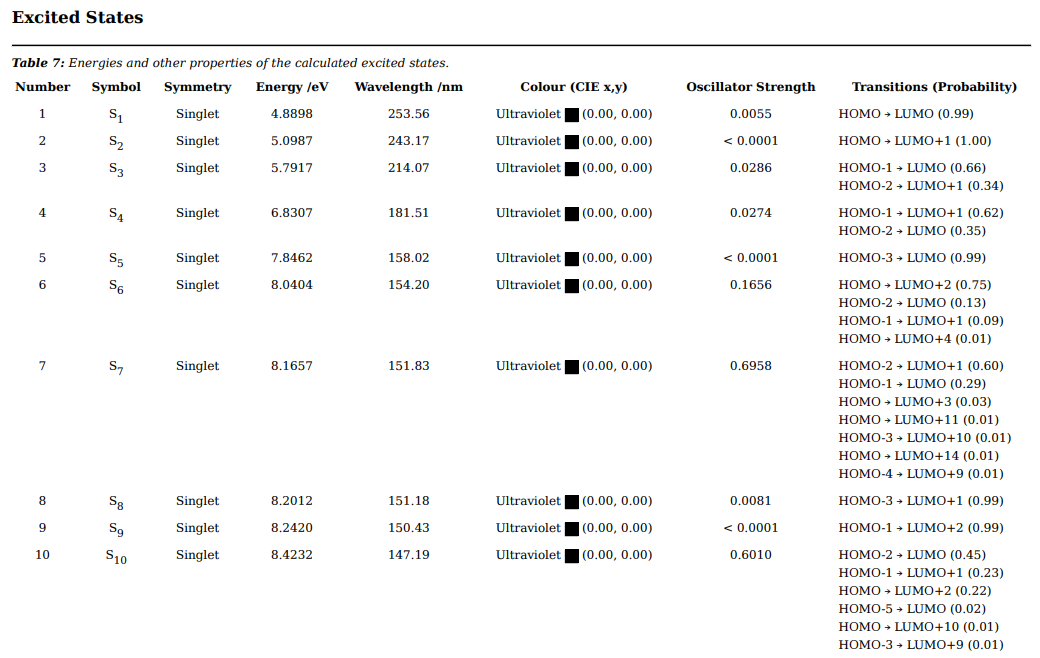
And a table of all the states calculated: