
JUSTUS 2#
JUSTUS 2 is the German nation-wide HPC system for computational chemistry research. If you are based at a research institution in Germany, you probably use Justus 2 for computational chemistry access.
Access to JUSTUS 2 is protected by two-factor authentication, and most logins require both a standard fixed password (called a service password in JUSTUS 2 terminology) and a time-based one-time password (OTP). Both of these authentication schemes are supported by Digichem.
For general instructions on getting started with JUSTUS 2, please see https://wiki.bwhpc.de/e/JUSTUS2/Getting_Started.
Digichem Setup#
To connect to a JUSTUS 2 account using Digichem, follow these steps.
Follow the first steps of the getting started guide as normal.
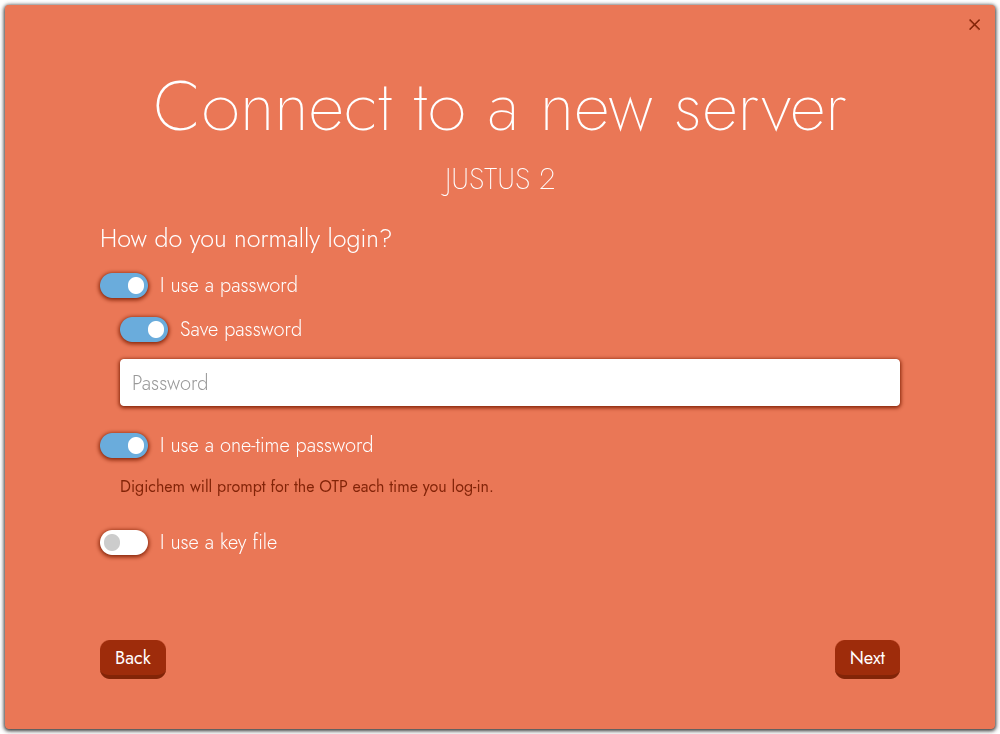
When you are asked ‘How do you normally login?’, you should tick both the I use a password option and the I use a one-time password option. Leave the I use a key file option unticked:
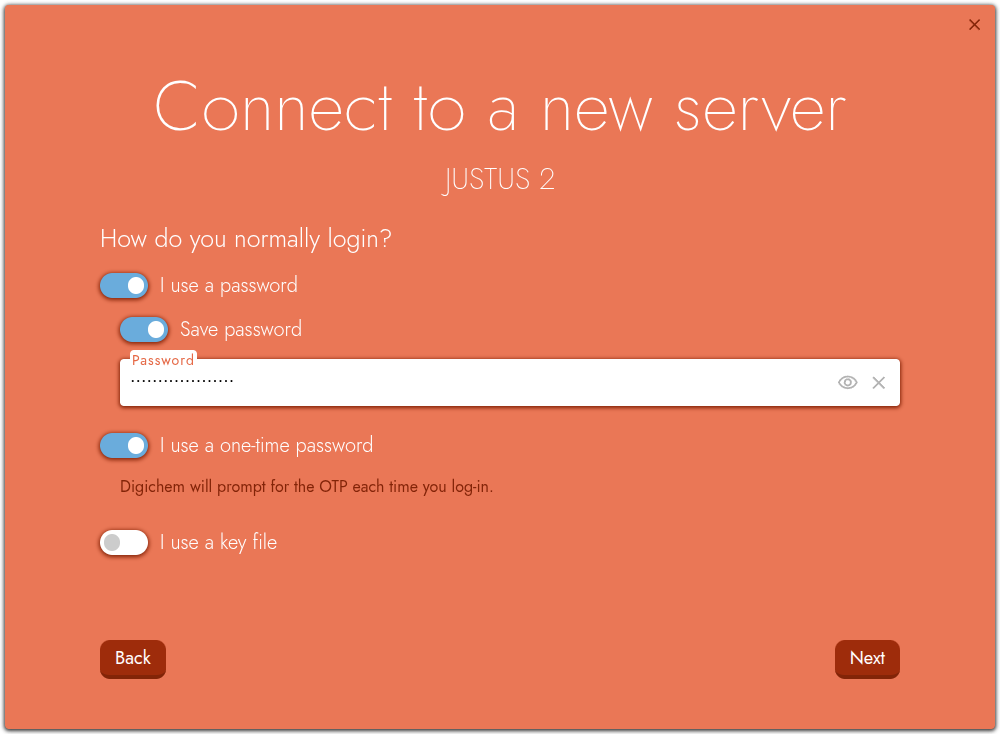
Enter your service password in the password field:
When you click Next, you will then be prompted for your OTP:
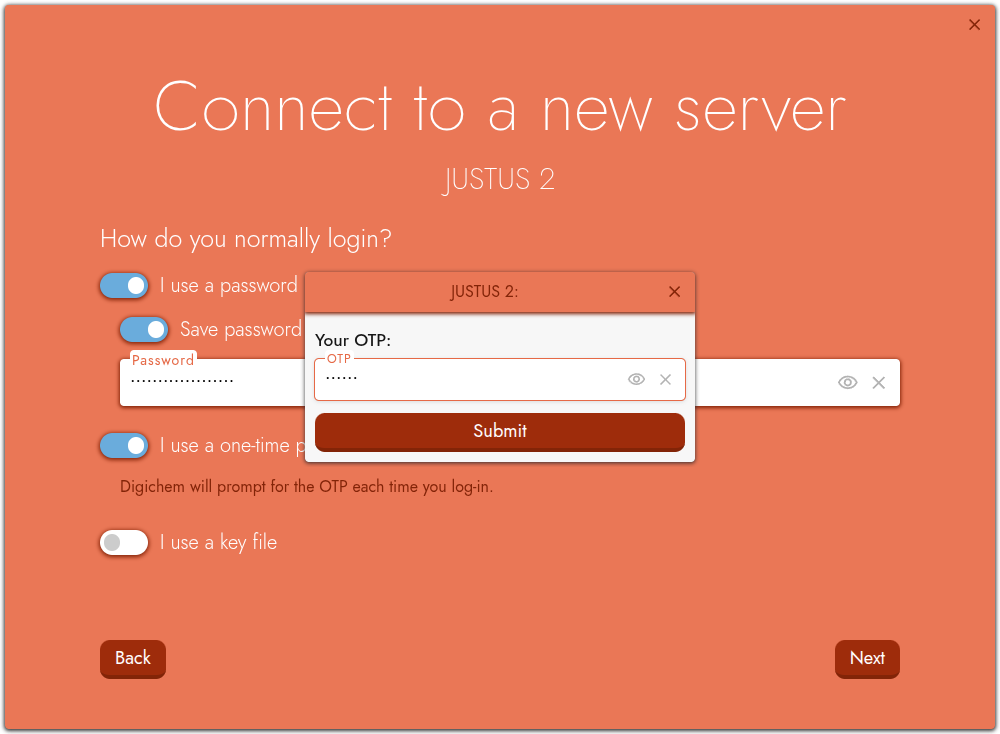
Retrieve your current time-based one-time password from your smartphone or other device, and enter it into the prompt.
That’s it! Digichem will then log you in, and you can continue with the remainder of the getting started guide.
Hint
Remember that one-time passwords on JUSTUS 2 don’t last long, and you’ll need to generate a new OTP each time you login to JUSTUS 2.